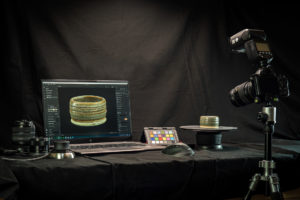
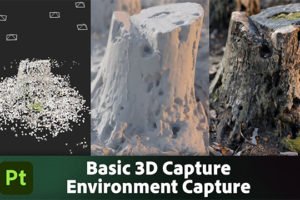
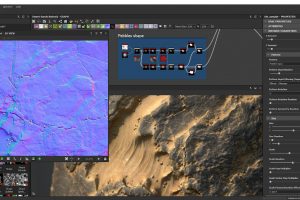
3Dキャプチャ用 写真測量ソフト Substance 3D Sampler の機能紹介ムービー
Substance 3D Sampler の新しい 自動タイリングフィルターをご覧ください。このフィルターは、定義された繰り返し構造を持つ画像やマテリアル専用に設計されています。以前は最もタイリングが難しいものだったものが、今では数秒で完了します!(youtube より)
0:06 What is the Auto Tiling filter, and when can it be used?
0:41 Using the filter on an image
1:40 Advanced settings of the filters
2:44 Using the filter on images shot in bad conditions
2:57 Using the filter on a material
Substance 3D Sampler でレイヤースタックの計算を最適化!新しい「レイヤーを平坦化」機能をご利用ください!(youtube より)
0:07 What is the Flatten Layers functionality?
0:28 Example with a material breakdow
1:06 Flatten Layers Feature
1:29 Available shortcuts
Substance 3D Sampler の クローンスタンプ フィルターの更新により、新たな可能性をご覧ください。(youtube より)
0:10 What is the Clone Stamp tool?
1:17 Adjust the scale
1:23 Rotate and flip the stamp
1:40 Edit the mask
2:06 Per-channel masking
2:37 Use clone stamp for tiling materials
この 平準化(Equalize) フィルターのアップデートは、スキャンデータの処理においてまもなく あなたの最もお気に入りのツールとなるでしょう! シンプルな素材から非常に複雑な素材まで、さまざまな用途でそのパワーを活用する方法を紹介。常に驚くべき結果を得ることができます。(youtube より)
0:11 What is the Equalize filter for?
1:13 Details of the Basic parameters
2:29 Adjusting the Equalize per channel
2:55 Handling challenging cases
■Adobe Substance 3D Sampler リリースノート(※英語)
https://helpx.adobe.com/substance-3d-sampler/release-notes.html
編集部からのおすすめ: 色、構図.. アートのセオリーを学ぶ/再発見するには、書籍『デジタルアーティストが知っておくべきアートの原則 改訂版』そして、『続 デジタルアーティストが知っておくべきアートの原則』をおすすめします。